Free Resume Templates | ATS-Compatible Resume Formats
Finding the right resume format can make the job application process much easier. A well-organized resume helps recruiters quickly understand your experience, skills, and qualifications. However, choosing a design that looks attractive while remaining easy for Applicant Tracking Systems (ATS) to read can be confusing.
That is where resume templates can help.
A good resume template gives you a clear structure for presenting your professional information. Instead of spending hours deciding where to place your skills, education, work history, and achievements, you can start with an organized format and customize it for the job you want.
In this guide, you will learn what to look for in a resume template, how ATS-friendly formats work, which sections to include, and how to choose a template based on your career level.
⭐ Rated 4.8★ on Google | Trusted by 10,000+ Professionals
What Are Resume Templates?
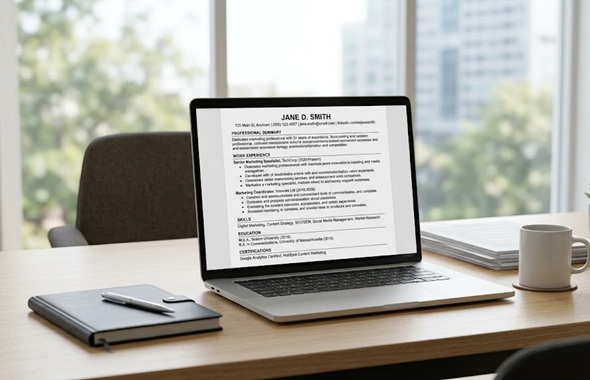
Resume templates are pre-designed formats that provide a basic structure for creating a professional resume. They usually include sections for your contact information, professional summary, work experience, education, skills, certifications, and other relevant details.
Templates can be especially useful when you are creating a resume from scratch. They give you a starting point without forcing you to design every section yourself.
However, not every attractive template is suitable for online job applications. Some designs contain complicated layouts, graphics, icons, or multiple columns that may make it harder for an ATS to process your information.
For this reason, it is important to choose a template that combines professional presentation with simple formatting.
Why Use Resume Templates?
Creating a resume from a blank document can take considerable time. You may know what information to include but still struggle with its arrangement.
Resume templates simplify this process by giving your information a logical structure.
Here are some common benefits:
- Saves time when creating a resume
- Provides a professional layout
- Keeps important information organized
- Makes sections easier to scan
- Helps maintain consistent formatting
- Can be customized for different job applications
- Offers formats suitable for freshers and experienced professionals
- Makes it easier to create an ATS-friendly resume
A template should not replace customization. Your resume still needs to reflect your actual experience, skills, achievements, and career goals.
What Makes a Resume Template ATS-Friendly?
An Applicant Tracking System is software that many employers use to collect and organize information from resumes. Depending on the system and employer setup, resumes may be searched or parsed for relevant information such as job titles, skills, qualifications, and keywords.
An ATS-friendly template keeps the information easy to identify.
1. Use Simple Formatting
Choose a clean layout instead of one filled with decorative elements.
Avoid excessive shapes, text boxes, unusual symbols, and complicated design features. A straightforward format generally makes your information easier to read.
2. Choose Standard Section Headings
Use familiar headings such as:
- Professional Summary
- Work Experience
- Skills
- Education
- Certifications
- Projects
Creative headings may look interesting, but standard headings are easier for both recruiters and resume-processing software to understand.
3. Keep the Layout Clean
A simple one-column format can be a practical choice, especially when you want to minimize formatting issues.
If you use multiple columns, make sure the reading order remains clear and important information is not placed inside elements that could interfere with text extraction.
4. Use Readable Fonts
Select a professional, easy-to-read font. Keep the font size consistent and use larger text for headings.
The purpose of your resume design should be clear communication, making your key qualifications simple for recruiters to locate.
5. Include Relevant Keywords
Your resume should reflect the language used in the job description when those terms genuinely match your experience.
For example, a software testing position may mention terms such as:
- Manual Testing
- Test Cases
- Selenium
- Java
- TestNG
- Defect Tracking
Make sure every skill and keyword you mention genuinely matches your knowledge, training, or professional experience.
What Should a Resume Template Include?
The exact sections can vary depending on your experience and profession. However, most professional resumes include several core sections.
Contact Information
Start with essential contact details such as:
- Full name
- Phone number
- Professional email address
- City and state
- LinkedIn profile, when relevant
You generally do not need to include unnecessary personal information.
Professional Summary
A professional summary provides a short introduction to your background and career focus.
Instead of using a generic statement, connect your experience and strengths with the type of position you are targeting.
For example, an experienced marketing professional could highlight years of experience, key areas of expertise, and measurable contributions.
Work Experience
List your relevant employment history in a clear format.
For each position, include:
- Job title
- Company name
- Location, if relevant
- Employment dates
- Key responsibilities
- Relevant achievements
Whenever possible, focus on results rather than simply listing daily duties.
Skills
Create a focused skills section that matches the position you are applying for.
Rather than creating a long list of abilities, highlight the skills that directly support the position you are pursuing.
Education
Include your relevant educational qualifications, such as:
- Degree or qualification
- Institution
- Graduation year, if appropriate
Many fresh graduates wonder whether their background provides enough material for a professional-looking resume.
A fresher resume can still look complete and polished by giving appropriate attention to education, projects, internships, certifications, and relevant skills.
Resume Templates for Freshers
Many new graduates wonder if they have enough information to build a professional resume.
A fresher resume can look polished and complete even without previous work experience.
Instead, the template can give more space to education, projects, internships, certifications, technical skills, and relevant achievements.
A fresher-friendly format can include:
- Contact information
- Career objective or professional summary
- Education
- Technical or professional skills
- Projects
- Internships
- Certifications
- Achievements or extracurricular activities
Do not add experience you do not have. Instead, show how your education, projects, training, and skills relate to the position.
Resume Templates for Experienced Professionals
Experienced professionals usually need a format that gives sufficient space to their employment history and achievements.
A suitable structure may include:
- Contact information
- Professional summary
- Core skills
- Professional experience
- Key achievements
- Education
- Certifications
- Additional information
Your most recent and relevant experience should receive the most attention.
For senior professionals, it can also be useful to focus on leadership, business impact, project ownership, revenue contributions, process improvements, or other measurable outcomes where applicable.
Resume Templates for Career Changers
Changing careers requires a slightly different approach.
Your previous job title may not directly match your new target role, so the resume should make transferable skills easier to identify.
For example, someone moving from teaching into corporate training may highlight:
- Communication
- Presentation skills
- Training delivery
- Curriculum development
- Team coordination
- Technology skills
A well-structured template can help bring these transferable abilities closer to the reader’s attention.
Chronological vs Functional Resume Formats
There are different ways to organize a resume.
Chronological Resume
A chronological resume generally presents your work history with the most recent position first.
This format works well for professionals with a consistent employment history and relevant experience.
Functional Resume
A functional format places greater attention on skills and capabilities rather than focusing primarily on employment chronology.
It may be considered by people with career changes, limited experience, or gaps in their employment history. However, many employers still prefer clear work-history information, so hiding employment dates is not necessarily helpful.
Combination Resume
A combination format brings together skills and professional experience.
It can work well for candidates who want to highlight specialized skills while still providing a clear employment history.
The right format depends on your background and the requirements of the position.
How to Choose the Right Resume Template
There is no single resume format that works equally well for everyone.
Consider these factors before selecting a template.
Consider Your Experience Level
A fresher may need more room for education, projects, internships, and certifications.
An experienced professional may need more space for employment history and achievements.
Consider Your Industry
A simple professional format can be appropriate for fields such as:
- Finance
- Information Technology
- Healthcare
- Engineering
- Operations
- Administration
Creative industries may allow more visual flexibility, but readability should still remain important.
Consider the Job Description
Read the job posting before selecting and customizing your resume.
Look at the required skills, qualifications, responsibilities, and job title. Your final resume should clearly demonstrate how your background relates to those requirements.
Consider ATS Compatibility
If you are applying through an online job portal or company career website, an ATS-friendly format can help reduce unnecessary formatting complications.
Keep the structure simple and make sure important information is available as selectable text.
Common Mistakes to Avoid With Resume Templates
Even a professionally designed template can become ineffective when it is poorly customized.
Avoid these common mistakes:
Using Too Many Design Elements
Colors, graphics, icons, charts, and decorative sections can make a resume visually busy.
A professional resume should prioritize clarity over decoration.
Copying Template Text
Some templates contain sample summaries and placeholder descriptions.
Do not leave these examples in your final resume. Replace them with information that accurately describes your own background.
Using the Same Resume for Every Job
A single generic resume may not highlight the skills required for every position.
Customize your summary, skills, experience descriptions, and keywords based on the role.
Adding Unnecessary Personal Information
Avoid filling valuable space with information that does not help demonstrate your suitability for the position.
Focus on professional qualifications and relevant details.
Making the Resume Too Long
More pages do not automatically make a resume stronger.
Include information that supports your application and remove outdated or unrelated details when they do not add value.
How to Customize Resume Templates
Once you choose a template, customization is the most important step.
Start by reviewing the job description. Identify the main responsibilities and qualifications. Then compare those requirements with your own experience.
Update your:
- Professional summary
- Skills
- Work experience
- Projects
- Certifications
- Achievements
Use specific examples wherever possible.
For instance, instead of writing:
Responsible for handling customer queries
you could write:
Resolved customer queries through email and phone support while maintaining accurate service records.
The second version provides more context about the actual work performed.
Are Free Resume Templates Good for Job Applications?
Yes, a free template can be useful if it has a clean structure and allows you to present your information clearly.
The price of a template does not determine whether your resume is effective.
A free format can work well when you:
- Use a professional layout
- Remove placeholder content
- Add relevant keywords
- Highlight genuine achievements
- Maintain consistent formatting
- Keep the resume easy to read
- Customize it for the target position
The content of your resume remains more important than decorative design.
Resume Templates and PDF vs Word Format
The format you submit can depend on the employer’s instructions.
If the job posting specifically asks for a Word document, follow those instructions. If it requests a PDF, submit a PDF.
When no format is specified, a properly created PDF can help preserve your intended visual formatting. However, always follow the employer’s stated requirements first.
Before submitting, open the final file and check that:
- Text is aligned correctly
- Headings are consistent
- Dates are accurate
- Links work
- There are no spelling errors
- No placeholder text remains
- The correct file has been attached
Frequently Asked Questions About Resume Templates
What is the best format for an ATS-friendly resume?
A clean, simple format with standard headings, readable text, clear sections, and minimal decorative elements is generally a practical choice for an ATS-friendly resume.
Are free resume templates ATS-friendly?
Some free resume templates are ATS-friendly, while others are not. Look for templates with straightforward layouts, standard headings, readable fonts, and minimal graphics or complicated design elements.
Can I use the same resume template for every job?
You can use the same basic template, but the content should be customized for each relevant application. Adjust your summary, skills, keywords, and experience details according to the position.
Should a fresher use a resume template?
Yes. Resume templates can help freshers organize education, projects, internships, certifications, and skills in a professional way.
How many pages should a resume be?
The appropriate length depends on your experience, industry, and the job requirements. Focus on relevant information rather than trying to meet an arbitrary page count.
Can I make my resume ATS-friendly without using a special template?
Yes. ATS compatibility depends largely on how your resume is structured and formatted. A simple document can be ATS-friendly even if it was not created from a dedicated ATS resume template.
Final Thoughts
The right resume templates can make it easier to create a professional and organized job application. However, the template itself is only the starting point.
Your resume should clearly communicate what you have done, what you can offer, and how your background relates to the position. Keep the design clean, use relevant keywords naturally, highlight meaningful achievements, and remove information that does not support your application.
Whether you are a fresher, experienced professional, career changer, or senior candidate, choose a format that makes your strongest qualifications easy to find.
A simple, well-customized resume can be much more useful than a visually impressive template filled with unnecessary design elements.